
MakerWorld
A-Z Bubble Letter Magnets (NO AMS)


- Creator (as listed at the source)
- Suri and Allen
- Licence
- Standard Digital File LicenseStated at the source marketplace; SliSearch does not verify licences.
- File types
- STL
- Pricing
- FreeThe marketplace states no price. SliSearch shows it as free; check the source page before you download.
- Published
- Category
- Decor
- Likes
- 122
- Downloads
- 71
Overview
Boost Me Thank you so much for supporting us 🫶 🧲 Magnets — please read before printing
Each letter takes 2 × D6×2mm magnets (Bambu Lab SKU CA004 , dropped into the two
pockets on the back after printing. That's 52 magnets for the full A–Z set. No print
pause needed — the pockets are open at the back, so you fit the magnets when the print
Read the full description
is done.
The pockets are cut at exactly 6.0mm — the magnet's true size. They're meant to be a
snug push fit. I'd recommend a small dab of superglue in each pocket: the fit holds the
magnet on its own, but a strong magnet on your fridge can pull it back out otherwise.
⚠️ If you print the STLs, or slice in anything other than Bambu Studio
You must turn on your slicer's hole / circle compensation before slicing.
In Bambu Studio it's Quality → Precision → Auto circle compensation . In Orca Slicer,
look for Hole compensation (or set an X-Y hole compensation of about +0.2mm). Other
slicers call it hole compensation, X-Y size compensation, or horizontal expansion.
Here's why it matters: FDM printers always print holes slightly smaller than modelled —
by Bambu's own calibration figures, roughly 0.2mm on a 6mm hole . Since these pockets
are cut at the magnet's exact size, that 0.2mm is the entire fit. Without compensation
the holes come out around 5.8mm and the magnets simply will not go in .
The included 3MF project file already has this enabled , along with everything else
dialled in. If you print straight from it, there's nothing to do — just slice and go.
This warning is only for people using the STLs or a different slicer.
Magnets
Bambu Lab Round Magnets, D6×2mm, SKU CA004:
Any 6×2mm neodymium disc works. Note that discs are usually made slightly under 6mm,
never over, which is why the pockets are sized the way they are.
Notes:
I added some resin and drew some patterns on the letters with posca pens💕
Print this with Prinnu
- Download the model file from the source page. SliSearch moves no files.
- Upload the file at slicience.com/quote. Prinnu quotes it in minutes.
Similar models
Chosen by shared tags first, then category. Each one links to its own marketplace.
 Set di 2 Profumi – Miniatura 1:12Completa la tua postazione trucco con questo elegante set di profumi in scala 1:12, pensato per aggiungere un piccolo dettaglio realistico alla tua mini casa.
 Barattolo Crema + Tubo Crema – Miniatura 1:12Completa la tua postazione trucco con questi piccoli accessori in scala 1:12, pensati per aggiungere realismo e dettagli alla tua mini casa.
 Spazzole + Pettine – Miniatura 1:12Completa la tua postazione trucco con questo piccolo set di accessori per la cura dei capelli, pensato per aggiungere realismo e cura dei dettagli alla tua mini casa.
 Dischetti Struccanti + Flacone Tonico –1:12Completa la tua postazione trucco con questi accessori in scala 1:12, pensati per aggiungere piccoli dettagli realistici alla tua mini casa.
 Letto Matrimoniale Moderno – Miniatura 1:12Porta un tocco moderno ed elegante nella tua mini casa con questo letto matrimoniale in scala 1:12 , progettato per arredare una camera da letto contemporanea.
 Comò + Specchio – Miniatura 1:12Completa la camera da letto con questo elegante comò moderno con specchio , in scala 1:12, pensato per abbinarsi alla Armonia Miniature Collection .
 Postazione Trucco + Pouf – Miniatura 1:12Una moderna postazione trucco con pouf in scala 1:12, perfetta per completare la camera da letto della Armonia Miniature Collection .
 Scatola Fazzoletti – Miniatura 1:12Completa la tua postazione trucco con questa scatola di fazzoletti, un piccolo accessorio pensato per rendere la mini casa ancora più realistica e curata.
 Armadio Moderno – Miniatura 1:12Completa la camera da letto con questo armadio moderno in scala 1:12 , pensato per abbinarsi agli altri elementi della Armonia Miniature Collection .
 Contenitore Porta Matita e Pennello–Miniatura 1:12Completa la tua postazione trucco con questo pratico contenitore porta matita e pennello, ideale per aggiungere un tocco di realismo e ordine alla tua mini casa.
 Comodini Moderni – Miniatura 1:12Completa la tua camera da letto con questi comodini moderni in scala 1:12 , pensati per abbinarsi perfettamente al letto matrimoniale della Armonia Miniature Collection .
 Panca – Miniatura 1:12Una panca moderna in scala 1:12, perfetta per completare e arredare la camera da letto della Armonia Miniature Collection .
 Porta Foto da Comò – Miniatura 1:12Un elegante porta foto da comò in scala 1:12, perfetto per aggiungere un tocco personale alla camera da letto della Armonia Miniature Collection .
 Set 3 Lampade – Miniatura 1:12Completa la tua camera da letto con questo set di 3 lampade moderne , pensate per il comò e i due comodini della Armonia Miniature Collection .
 Transformers Autobots Fridge MagnetAutobots, Roll Out!
 Donatello - Multi-Part STL | Multi Color | No AMS RequiredPrint a full-color Donatello without an AMS! Each color is an individual part, making it easy to print on any standard FDM printer and assemble into a vibrant collectible. 🟣🟢 No AMS? No problem!
 Ñoño - Nhonho - NO AMSÑoño - Nhonho – Multi-Part Figure (3MF) This is a fan-made 3D model inspired by a classic TV character. The model is split into multiple parts to make printing, painting, and assembly easier.
 Blob ZipMeet The Blob Zip Blob Zip is a solid, 3D‑printed zipper shell designed to make gripping and pulling zippers easier.
 FilePodMeet The FilePod FilePod is a compact, ergonomic grip that makes holding and using a fingernail file easier, steadier, and way more comfortable.
 Magnetic Alphabet Letters A-Z - Fridge MagnetsTwenty-six letters, A to Z, each with a magnet pocket in the back. Every letter is 3 mm thick and between 24 and 67 mm across, so a word spelled on a fridge door is readable from across the kitchen.
 Dispenser Sapone Miniatura 1:12 – Linea RotondaCompleta il tuo bagno in miniatura con questo elegante dispenser per sapone della collezione Armonia – Linea Rotonda .
 Portarotolo e Scottex Miniatura 1:12Completa la tua cucina in miniatura con questo elegante set composto da portarotolo e rotolo di carta in scala 1:12.
 Porta Saponetta Miniatura 1:12 – Linea RotondaCompleta il tuo bagno in miniatura con questo porta saponetta da lavandino della collezione Armonia – Linea Rotonda .
 Minecraft Villager Figure (No AMS!)“Herrrrrrmmmm…..” What did he say? I don't know. But what I do know is… you found a Minecraft Villager! This is the iconic villager seen in Minecraft and what's better? It's non-AMS!
 Portatovaglioli con Tovaglioli Miniatura 1:12Completa la tua cucina in miniatura con questo elegante portatovaglioli con tovaglioli in scala 1:12 .
 Spazzolino e Dentifricio Moderni 1:12Completa il tuo bagno in miniatura con questo set composto da spazzolino e dentifricio in scala 1:12 , progettato per aggiungere un tocco di realismo ai mobili lavabo della collezione Armonia Bathroom Collection...
 Porta Spazzolino e Dentifricio1:12 – Linea RotondaAggiungi un tocco di realismo al tuo bagno in miniatura con questo porta spazzolino e dentifricio della collezione Armonia – Linea Rotonda .
 Cesto BiancheriaSporca Miniatura1:12 Linea RotondaCompleta il tuo bagno in miniatura con questo cesto portabiancheria sporca dal design moderno appartenente alla collezione Armonia – Linea Rotonda .
 Set 3 Scatole Decorative –Accessori Miniatura 1:12Set composto da 3 scatole decorative di diverse forme e dimensioni , pensate per arredare e completare una casa delle bambole in scala 1:12 .
 Tagliere e Coltello Miniatura 1:12Aggiungi un dettaglio realistico alla tua cucina in miniatura con questo set composto da tagliere e coltello in scala 1:12 . Il modello è composto da 2 pezzi , progettati per una stampa semplice e veloce, senza necessità di AMS.
 MewTwo Psyduck NO AMS
 PortaRotolo e Scopino Miniatura 1:12 Linea RotondaCompleta il tuo bagno in miniatura con questo elegante porta rotolo e scopino della collezione Armonia – Linea Rotonda . Il modello è progettato in scala 1:12 e si abbina perfettamente agli altri accessori della collezione Armonia.
 Libri – Set 4 Misure – Miniatura 1:12Set di 4 libri decorativi in diverse misure , progettati per arredare librerie, mensole e tavolini di una casa delle bambole in scala 1:12 .
 john Wick GnomeBoost Me 🚀 Help Us Upgrade the Spicy Geek Printer Fleet! We’re currently saving up MakerWorld points toward adding a new printer to the Spicy Geek setup!
 Parete TV Moderna + TV – Miniatura 1:12Una moderna parete TV in miniatura , progettata per arredare il soggiorno di una casa delle bambole in scala 1:12 .
 Porta Asciugamani da Lavandino1:12 – Linea RotondaAggiungi un tocco di eleganza al tuo bagno in miniatura con questo porta asciugamani da lavandino della collezione Armonia – Linea Rotonda .
 Orologio – Accessorio Miniatura 1:12Orologio da tavolo decorativo dal design moderno, pensato per arredare il soggiorno di una casa delle bambole in scala 1:12 . Un piccolo dettaglio che completa l'arredamento della mini casa.
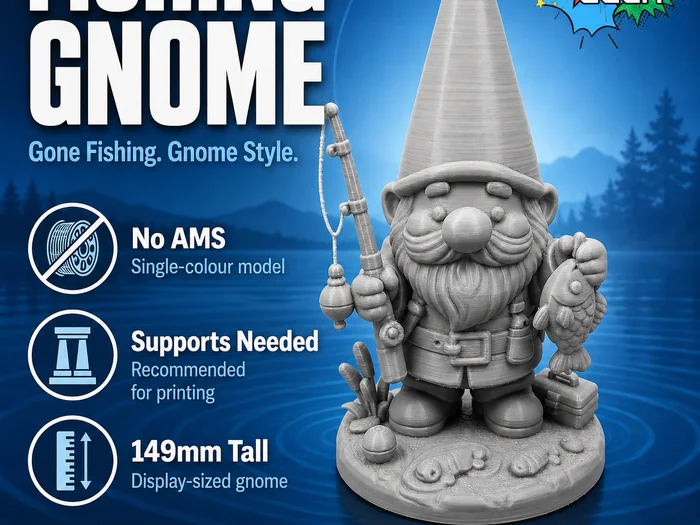 Camping GnomeBoost Me 🚀 Help Us Upgrade the Spicy Geek Printer Fleet! We’re currently saving up MakerWorld points toward adding a new printer to the Spicy Geek setup!
 2 Portafoto – Accessori Miniatura 1:12Set di 2 portafoto decorativi in miniatura , perfetti per aggiungere un tocco personale al soggiorno di una casa delle bambole in scala 1:12 .
 Dishwasher Dirty/Clean Automatic SignMagnetic flip sign for a dishwasher to show if clean or dirty dishes are inside. (made by a human not ai) Print-In-Place - layer height 0.2mm (or less). Print flat side down and enjoy. Only takes 1hr45min.
SliSearch is an index: it stores public metadata only, does not host files, does not verify licences, and has no partnership or affiliation with the indexed marketplaces.